Accepted Transfer Students
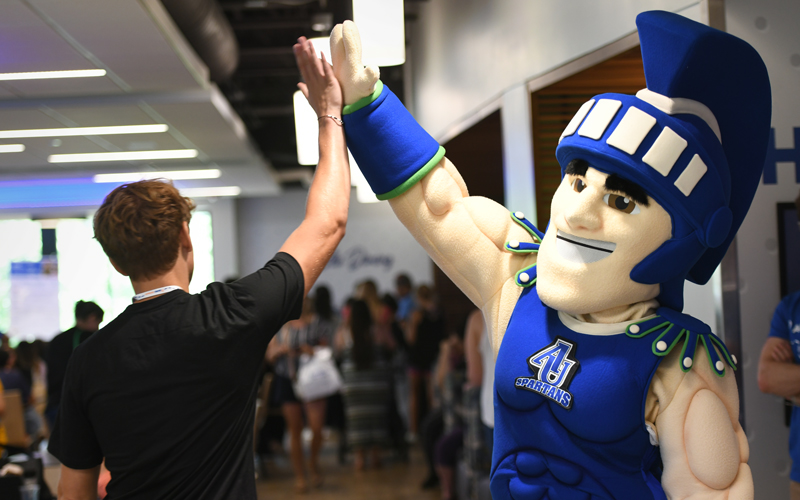
Congratulations! You’ve been accepted to Aurora University!
We’re excited to welcome more than 500 transfer students to AU each year. As you join the Spartan community, your next step is to complete a few important items that will help you transition smoothly and prepare you for your first semester. Use this page as your checklist to stay on track.
Take the next step toward transforming your life at AU:
File the Free Application for Federal Student Aid (FAFSA) to apply for financial aid. Use AU School Code 001634.
Don’t have a StudentAid.gov (also called FSA ID) account? Visit the Federal Student Aid website and select “Create an Account” to get started. All FAFSA contributors, which include parents, students, and spouses, must create a StudentAid.gov account to complete the FAFSA.
Okta is a secure login for AU systems, including email, course materials, financial aid, and student services. You’ll use this single sign-on platform throughout your time at AU.
To set up your Okta account:
- Find the email sent to your personal email address with the subject line “Aurora University Account Information.” (If you don’t see it, check your spam or junk folder, too.)
- Follow the instructions in that email to activate your Okta account, then log in to your Okta portal.
- Watch this video for help setting up multi-factor authentication.
Everything you need to manage financial aid and student billing can be accessed through your Okta account, including:
Completing your financial aid.
- Log in to Okta.
- Choose the Self-Service app.
- Click the “Financial Aid” section.
- Review the checklist for items marked as “Action Needed” and complete these steps.
Setting up online payments.
AU’s Student Accounts acts as the primary clearinghouse for tuition and fee accounts in addition to processing payments, credits, refunds, and charges. Review the New to AU Student Accounts Checklist and follow the steps to create your online student account, set up authorized users, enroll in a payment plan, and more.
Reviewing military or veteran benefits (if applicable).
AU proudly supports military service members and veterans of the U.S. Armed Forces. If you are a military-connected student, learn more about the personalized support that is available to you, including benefits and resources.
Still have questions? Schedule an appointment with a financial aid advisor, or contact the Office of Financial Aid at finaid@aurora.edu or 630-844-6190.
- Contact your admission counselor to schedule an advising appointment. If you don’t know who your admission counselor is, email admission@aurora.edu.
- If you have not done so already, set up your Okta account prior to your advising appointment.
- If you have Advancement Placement (AP) Program or College Level Examination Program (CLEP) exam credit, you may be able to receive credit at AU. To send your scores to AU, log into your College Board account, then review the following links for instructions to send your AP Exam and/or CLEP Exam scores to AU. If you have questions, reach out to your admission counselor.
After you’ve registered for classes, complete these important steps to ensure a smooth and successful transition to AU:
Save the dates.
- Review the academic calendar and note important dates for billing and refunds.
Submit your final official transcripts.
Most institutions use Parchment or National Student Clearinghouse to send transcripts. If your college or university does not use either, please have your official transcripts sent to AU-Etranscripts@aurora.edu or the mailing address below.
Aurora University
Office of Admission
347 S. Gladstone Ave.
Aurora, IL 60506
Submit your immunization records.
You are required to submit your immunization records to Student Health Services prior to arriving for the first day of class. To submit your immunization records:
- Log in to Okta.
- Open the Student Health Portal app.
- Click on “Document Upload” on the green banner at the top of the page.
- Upload your immunization records, then click “Save.”
- You will receive a notification that your document was successfully uploaded.
- To check the status of your record, please click on “My Profile” on the green banner at the top of the page.
If you are a student-athlete, in addition to submitting your immunization records to Student Health Services, you are also required to submit additional health information and forms to AU’s Athletic Training staff. You will receive instructions for this from Athletic Training in June and throughout the summer.
For more information on required immunizations, acceptable forms of documentation, how to submit your records, and any exemptions, please visit the Health and Immunization Records page or email Student Health Services at shs@aurora.edu.
Complete your financial aid.
- Log in to Okta.
- Choose the Self-Service app.
- Click the “Financial Aid” section.
- Review the checklist for items marked as “Action Needed” and complete these steps.
Complete your housing contract.
If you are planning to live on campus, you need to complete a housing contract, which can be found in your Okta account in the eRezLife app. To submit your housing contract:
- Log in to Okta.
- Click on “Okta Dashboard.”
- Select the “eRezLife Login” tile.
- Under “Recommended Actions,” click on “Apply for housing.”
- Click the “Apply now” button for Academic Year 2026–2027.
- Fill out the housing contract.
- Once complete, review your application details and click “Submit application.”
Watch this video for help with completing the housing contract.
If you are not living on campus, do not complete a housing contract.
Set up online payments.
Review the New to AU Student Accounts Checklist and follow the steps to create your online student account, set up authorized users, enroll in a payment plan, and more.
Visit the AU Bookstore.
Located on the first floor of Dunham Hall, the AU Bookstore is stocked with textbooks, apparel and fan gear, school supplies, general interest books, and gifts. Online ordering is available and encouraged.
Get your parking pass.
Visit the parking permit page for information to register and receive your parking permit.
Learn about student ID information.
Get information about your student ID on the photo ID page.
We’re here to help you make your decision and plan your next steps.
- Talk to your admission counselor: We can answer your questions and help you decide if AU is the perfect fit. Contact the Office of Admission at 800-742-5281, 630-844-5533, or admission@aurora.edu. You can also find us at your local community college; explore events and schedule a time to chat with us at aurora.edu/easytransfer.
- Visit campus: Schedule a tour or attend an information session to explore campus, meet our faculty and students, and learn more about our academic programs.
- See how your credits transfer: Schedule a meeting with your admission counselor or request an unofficial transcript evaluation of your credits.